From meeting recording to real-time captioning to post-production burn-in and management

Caption is not another fragmented transcription tool. It is built for real work such as meetings, demos, training, and long-form media: start with reliable capture, follow the content with live captions, then move straight into subtitle generation, burn-in export, and later retrieval.

macOS

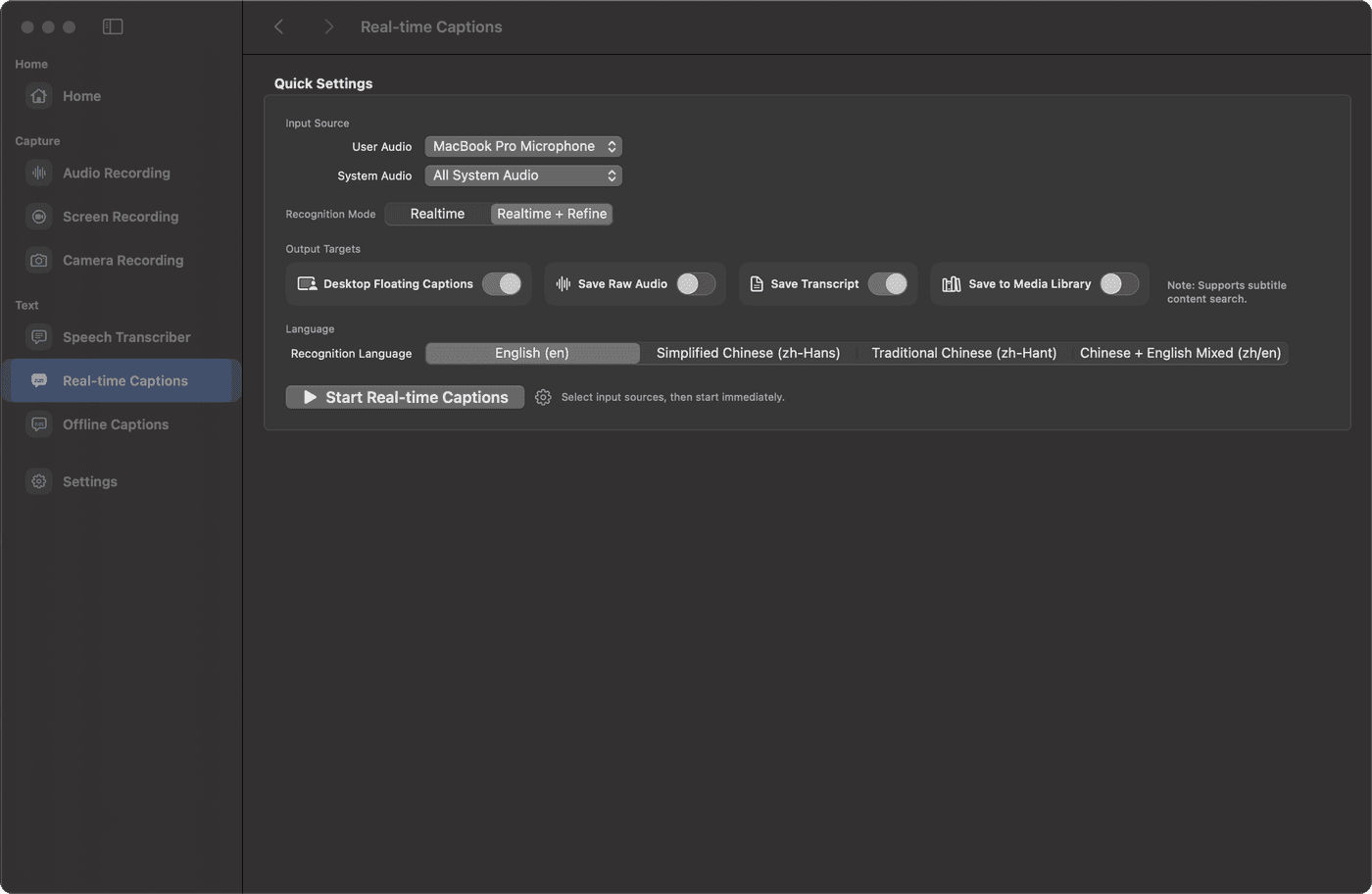
macOS caption workspace for multi-source capture, live captions, offline subtitle delivery, and searchable session history.

Unified capture across mic, system audio, app output, and camera sources Live captions for meetings, calls, classes, and demos Offline subtitle generation, revision, and burn-in export Session history with searchable text and timecode retrieval

Keep capture, live captioning, and delivery in one workspace

Stabilize the inputs first

Mic, system audio, app output, and camera sources can stay inside one workflow.

Use live captions during the meeting

It helps you understand what is happening during the meeting instead of relying on replay after the fact.

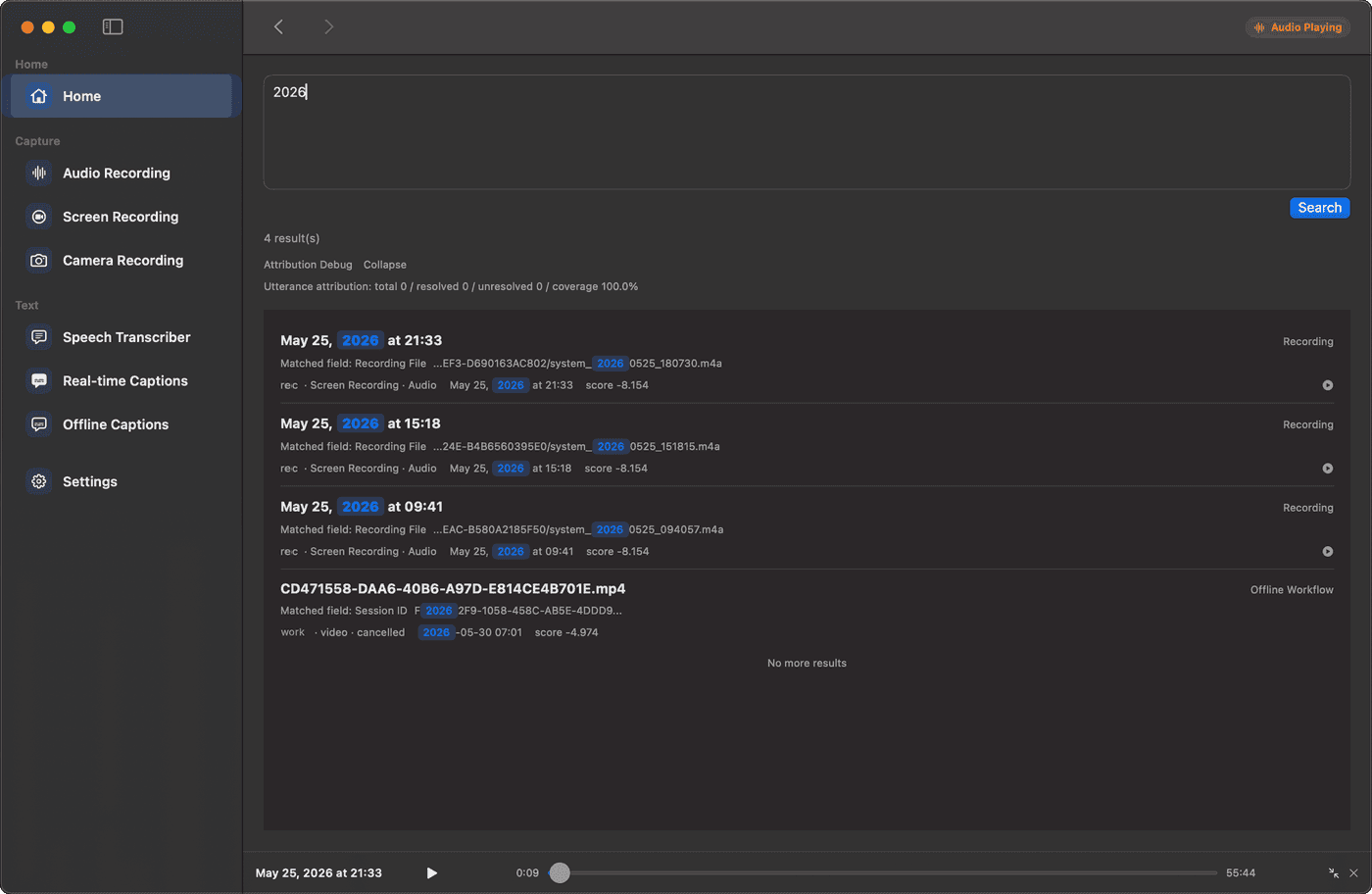
Finish delivery and retrieval after the meeting

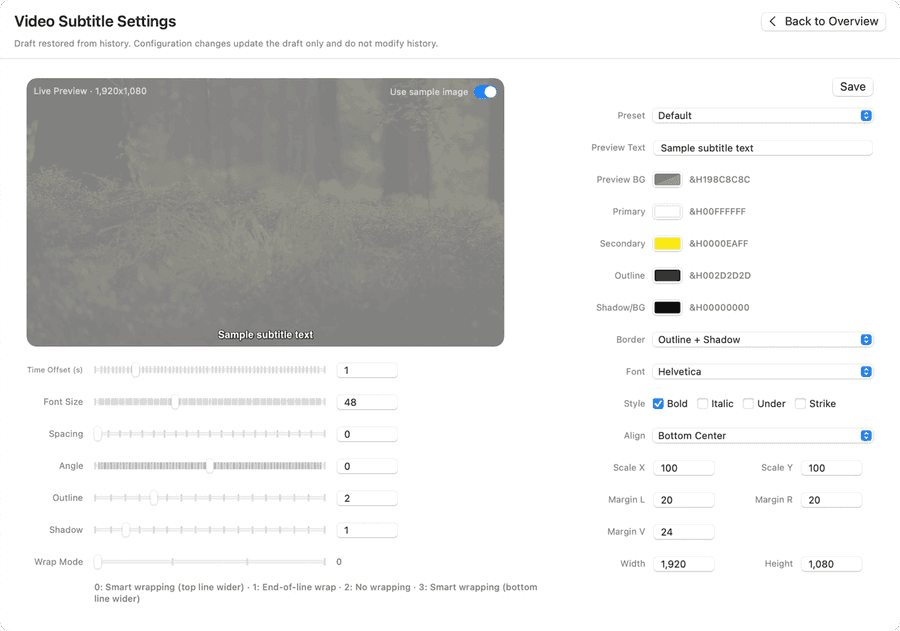
Offline subtitles, burn-in export, search, and session history keep the result usable after the meeting.

Application scenarios

Caption fits work that has both a real-time phase and a post-production phase.

Meetings and remote calls

Caption is most useful when you are listening, note-taking, and still need the source capture to stay complete.

Lessons, demos, and internal training

From screen recording and app playback to camera-led explanation, this work needs both real-time follow-along and later subtitle delivery.

Podcasts, videos, and long-form media

When media will be revised, burned in, archived, and searched repeatedly, fragmented tooling becomes expensive very quickly.

Problems it solves

This is not about vague "efficiency gains". It is about solving the most common subtitle workflow problems directly.

Input sources get missed

If you discover after the session that one source was missing, most of the earlier work is already compromised.

Live understanding gets pushed to replay

When information arrives too fast, relying on replay pushes the entire understanding cost to later.

Post-session delivery gets split across tools

When subtitle generation, revision, burn-in, and export are scattered across separate tools, every step adds context-switching cost.

The result is hard to retrieve later

Without session history, keyword search, and timecode lookup, the content tends to disappear after delivery.

How our app solves it

The goal is not to pile on features, but to make the workflow clear and continuous.

01

Unify the capture entry

Handle mic, system audio, app output, and camera from one place so the capture foundation is stable first.

02

Use live captions for real-time understanding

Live captions are not decorative output. They help you stay with the conversation while it is happening.

03

Keep offline subtitles and export in the same flow

Once media is local, continue with subtitle generation, revision, and burn-in export without repeated tool hopping.

04

Keep the result searchable and reusable

Use session history, text search, and timecode retrieval to turn the result into something reusable later.

Why choose us

If you care more about a stable workflow, keeping sensitive material local, and being able to search and reuse past results, these capabilities matter more than any single feature.

Local-first on the critical path

Recording, live captions, offline work, and history stay centered on the local machine, which fits sensitive and controlled material better.

A continuous workflow instead of isolated features

The focus is on keeping capture, understanding, and delivery connected instead of making one isolated feature look impressive.

The output is not a one-off artifact

Session history, search, and timecode lookup make earlier subtitle work reusable instead of disposable.

Designed around actual work, not abstract AI branding

The product story is about stability, boundaries, and delivery rather than vague model marketing.

Subscription Plans

Monthly and yearly plans are available: USD $9 / month (tax included), USD $79 / year (tax included). Payment and entitlement flow will be connected later.

Monthly

USD $9 / month (tax included)

  • Live captions for meeting flow
  • Core offline subtitle and export capability
  • Session history and timecode retrieval
Order monthly (coming soon)
Yearly

USD $79 / year (tax included)

  • Includes everything in monthly plan
  • Priority access to long-term iterations
  • Best for continuous production and team workflows
Order yearly (coming soon)

If you want a clear and stable subtitle workflow on macOS, solve it here.

Read the docs first, then decide whether to leave your contact. Before launch, we are prioritizing real workflows over broad marketing copy.

Launch updates

Notify me when Caption launches

Enter your email and we will open your mail app with the product and subject prefilled. This is the lightest pre-launch flow for now.

Used only for launch updates or beta coordination. If your mail app does not open, email us directly at [email protected] .